
Showing posts with label bo. Show all posts

Saturday, September 10, 2016

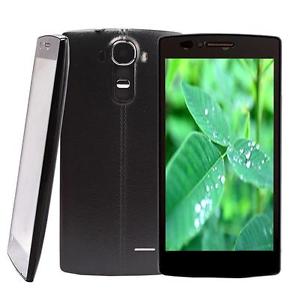
X BO V15 Stock Rom Download

X BO V15 Stock Rom Download


X-BO V15

V15_MT6572_Android4.4

DOWNLOAD


V15_MT6580_Android5.1_V1.0.2
DOWNLOAD

V15_MT6580_Android5.1_V1.0.1
DOWNLOAD


Install ROM:
- Unpack FlashTools, and Click on Flash_tool.exe
- Select "scatter-Loading" and search MT6580_Android_scatter.txt in ROM
- Wait file to be added into Flash Tool
- Select "Download Only" or if upgrade "Firmware upgrade"
- Turn off your phone, remove the battery (if the battery is removable) and replace it after some seconds (and dont turn on the phone).
- Press “Download” button to start
- and connect your phone into the computer via USB data cable.
- The process will start and a red progress bar will appear after color purple, yellow.
- And green circles display
- Finish !

- You can now safely disconnect your phone and turn it on.

Available link for download

Read more »

Friday, September 9, 2016

X BO X14 Stock Rom Download

X BO X14 Stock Rom Download


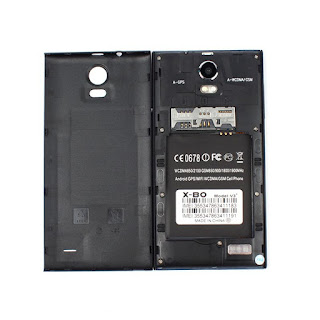
X-BO X14


X14_MT6580_V1.0.3


DOWNLOAD


X14_MT6580_V1.0.2


DOWNLOAD


X14_MT6580_V1.0.1


DOWNLOAD


Install ROM:
- Unpack FlashTools, and Click on Flash_tool.exe
- Select "scatter-Loading" and search MT6580_Android_scatter.txt in ROM
- Wait file to be added into Flash Tool
- Select "Download Only" or if upgrade "Firmware upgrade"
- Turn off your phone, remove the battery (if the battery is removable) and replace it after some seconds (and dont turn on the phone).
- Press “Download” button to start
- and connect your phone into the computer via USB data cable.
- The process will start and a red progress bar will appear after color purple, yellow.
- And green circles display
- Finish !

- You can now safely disconnect your phone and turn it on.

Available link for download

Read more »

Wednesday, September 7, 2016

X BO V17 Officeil Firmware100 Tested

X BO V17 Officeil Firmware100 Tested


X-BO-V17 Officeil Firmware100% Tested
X-BO-V17 Flash File 
ROM Android 4.4.2
 
wifizoneforyou@yahoo.com
01711-30-39-25
 DOWNLOAD LINK

Available link for download

Read more »

Tuesday, September 6, 2016

Download X BO V3 PLUS MT6580 Firmware

Download X BO V3 PLUS MT6580 Firmware


Download X-BO V3+ Plus MT6580 ROM FIRMWARE BELOW
LEARN HOW TO FLASH/UNBRICK THIS DEVICE FROM HERE

ROM Phone X-BO V3+ - ROM Android 5.1

ONLY MT6580


V128_FWVGA_V2.0_20160528_0100_V1.1.4_XX_V30D_V3P
Download Now


V128_FWVGA_V2.0_20160229_1843_V1.0.7_XX_V30D_V3P
Download now


V128_FWVGA_V2.0_20160120_1757_V1.0.6_XX_V30D_V3P 
Download Now

LMY471 TEST-KEYS
                                                                                 Download Now                         file password >  66665554488


Step To Flash :
 Open FlashTools, and Click on Flash_tool.exe
Select "scatter-Loading" and search MT6580_Android_scatter.txt in ROM
 Wait file to be added into Flash Tool
 Select "Download Only" or if upgrade "Firmware upgrade"
Turn off your phone, remove the battery (if the battery is removable) and replace it after some seconds (and dont turn on the phone).
Press “Download” button to start
 and connect your phone into the computer via USB data cable.
 The process will start and a red progress bar will appear after color purple, yellow.
And green circles display
 Finish !
 You can now safely disconnect your phone and turn it on

Available link for download

Read more »

Download X BO Q11 Firmware Pac File

Download X BO Q11 Firmware Pac File


Download X-BO Q11 Pac file

SPD 6820
DOWNLOAD


Learn How to flash x-bo q11 here

Install ROM:
FactoryDownload/UpgradeDownload

1 Unpack ROM and extract s80v13_dx_m9_en_msg2xxx_g2_256M_v02.pac
2 Run UpgradeDownload or FactoryDownload, connect your android device to the computer
3 Click on "Load packet" and add the .pac
4 Click on "Start"
5 During the flashing your mobile will restart automatically
6 Finish

Available link for download

Read more »

Sunday, September 4, 2016

Download X BO M8 Stock Rom Firmware

Download X BO M8 Stock Rom Firmware


Download x-bo m8 stock rom / firmware below
Learn how to flash /unbrick x-bo m8 here

X-BO M8 ROM

Htc.M8 Clone.MT6572
Download 

M8 CLONE Android 4.2 MT6572
Download 


Install ROM:
- Unpack FlashTools, and Click on Flash_tool.exe
- Select "scatter-Loading" and search MT6572_Android_scatter.txt in ROM
- Wait file to be added into Flash Tool
- Select "Download Only" or if upgrade "Firmware upgrade"
- Turn off your phone, remove the battery (if the battery is removable) and replace it after some seconds (and dont turn on the phone).
- Press “Download” button to start
- and connect your phone into the computer via USB data cable.
- The process will start and a red progress bar will appear after color purple, yellow.
- And green circles display
- Finish !

- You can now safely disconnect your phone and turn it on.

Available link for download

Read more »

X BO V3 Plus Firmware Download

X BO V3 Plus Firmware Download


X-BO V3+
Chip - MT6572
DOWNLOAD

V3+_MT6572_Android4.2.2

DOWNLOAD

SONY.CLONE_V3+_MT6572

DOWNLOAD

SONY.P7.CLONE_V3+_MT6572_Android4.4.2

DOWNLOAD

Install ROM:
- Unpack FlashTools, and Click on Flash_tool.exe
- Select "scatter-Loading" and search MT6580_Android_scatter.txt in ROM
- Wait file to be added into Flash Tool
- Select "Download Only" or if upgrade "Firmware upgrade"
- Turn off your phone, remove the battery (if the battery is removable) and replace it after some seconds (and dont turn on the phone).
- Press “Download” button to start
- and connect your phone into the computer via USB data cable.
- The process will start and a red progress bar will appear after color purple, yellow.
- And green circles display
- Finish !

- You can now safely disconnect your phone and turn it on.

Available link for download

Read more »

Thursday, September 1, 2016

X BO V3 Plus MT6580 Stock Rom Download New version

X BO V3 Plus MT6580 Stock Rom Download New version


Download X-BO V3+ Plus MT6580 ROM FIRMWARE BELOW
LEARN HOW TO FLASH/UNBRICK THIS DEVICE FROM HERE

ROM Phone X-BO V3+ - ROM Android 5.1

ONLY MT6580


MT6580__V3+__V3+__V3+__5.1__ALPS.L1.MP6.V2_MAGC6580.WE.L_P20
                                                         Download Now     Password: www.latest-setup.org


Step To Flash :
 Open FlashTools, and Click on Flash_tool.exe
Select "scatter-Loading" and search MT6580_Android_scatter.txt in ROM
 Wait file to be added into Flash Tool
 Select "Download Only" or if upgrade "Firmware upgrade"
Turn off your phone, remove the battery (if the battery is removable) and replace it after some seconds (and dont turn on the phone).
Press “Download” button to start
 and connect your phone into the computer via USB data cable.
 The process will start and a red progress bar will appear after color purple, yellow.
And green circles display
 Finish !
 You can now safely disconnect your phone and turn it on

Available link for download

Read more »

X BO Z3 FIRMWARE DOWNLOAD

X BO Z3 FIRMWARE DOWNLOAD


X-BO Z3
Chip - MT6589
DOWNLOAD


Chip - MT6572

DOWNLOAD

Chip - MT6572
DOWNLOAD

Install ROM:
- Unpack FlashTools, and Click on Flash_tool.exe
- Select "scatter-Loading" and search MT6580_Android_scatter.txt in ROM
- Wait file to be added into Flash Tool
- Select "Download Only" or if upgrade "Firmware upgrade"
- Turn off your phone, remove the battery (if the battery is removable) and replace it after some seconds (and dont turn on the phone).
- Press “Download” button to start
- and connect your phone into the computer via USB data cable.
- The process will start and a red progress bar will appear after color purple, yellow.
- And green circles display
- Finish !

- You can now safely disconnect your phone and turn it on.

Available link for download

Read more »

Tuesday, August 30, 2016

DOWNLOAD X BO KIVI O6 FIRMWARE

DOWNLOAD X BO KIVI O6 FIRMWARE


X-BO KIVI O6

KIVI_O6__MT6580_V1.0.7

DOWNLOAD

KIVI_O6__MT6580_Android5.1_V1.0.1
DOWNLOAD


Install ROM:

- Unpack FlashTools, and Click on Flash_tool.exe
- Select "scatter-Loading" and search MT6580_Android_scatter.txt in ROM
- Wait file to be added into Flash Tool
- Select "Download Only" or if upgrade "Firmware upgrade"
- Turn off your phone, remove the battery (if the battery is removable) and replace it after some seconds (and dont turn on the phone).

- Press “Download” button to start
- and connect your phone into the computer via USB data cable.
- The process will start and a red progress bar will appear after color purple, yellow.
- And green circles display
- Finish !

- You can now safely disconnect your phone and turn it on.

Available link for download

Read more »

DOWNLOAD X BO FIRMWARE

DOWNLOAD X BO FIRMWARE


THIS ARE COLECTION OF SONY X-BO STOCK ROM / FIRMWARE

learn how to flash this device here
if u encounter any error in flash tool click here
verry important:  tips to note before flashing mtk android phone click here

NOTE: Most X-BO phones are clones of other products so do not tick preloader & uboot in sp flash tool when using any of these firmwares (Except when the phone is totally dead)

It always good to make a backup of uboot.img or lk.img of XBO phones before flashing
Pls send any uboot.img or lk.img file you backup so I can post to help others
If u ave blank screen after flashing the firmware .. restore the uboot.img or lk.img you backup
You can  search this site x-bo display fix if you  dont backup before
or  make a request @ comment box
You can find various display fix files from here

NEW X-BO FIRMWARE COLECTION CLICK HERE


X-BO B3

Chip - MT6572
DOWNLOAD


X-BO B5

Chip - MT6572

DOWNLOAD


X-BO B9

B9_MT6572_V1.02


DOWNLOAD


X-BO LION

LION_MT6580_Android5.1

DOWNLOAD


X-BO N760

N760_MT6572_Android4.4

DOWNLOAD


X-BO M3
Chip - MT6572
DOWNLOAD


X-BO M8
HTC.M8.CLONE_MT6572_Android4.2
DOWNLOAD


X-BO M9 MINI

X-BO M9+

M9+ Android4.4
DOWNLOAD


X-BO KIVI O1
KIVI_O1_MT6580_Android5.1
DOWNLOAD


X-BO O2

O2_MT6580_Android5.1

DOWNLOAD


X-BO O3

O3_MT6580_Android5.1

DOWNLOAD


X-BO O5


Chip - MT6580
Password - xboo580

DOWNLOAD


X-BO KIVI O6


X-BO O7

O7__MT6580_Android5.1_V1.0.7

DOWNLOAD


X-BO Q11


X-BO S5

Android 5.1
MT6580

DOWNLOAD


X-BO S7

Android 5.1
MT6580

DOWNLOAD


X-BO S900
X900_MT6580_Android5.1

DOWNLOAD


X-BO Tiger
Android 5.1
Chip - MT6580

DOWNLOAD


X-BO V3+


X-BO V5


X-BO KIVI V5

KIVI_V5_MT6572_Android4.4.2

DOWNLOAD


X-BO V6


X-BO V7
Chip - MT6572

DOWNLOAD


X-BO V9

V9_MT6582_V1.0.8

DOWNLOAD


X-BO V9+

V9+_MT6582_Android4.4
Available link for download

Read more »

Wednesday, August 24, 2016

Download X BO V23 Firmware

Download X BO V23 Firmware


X-BO KIVI V23
KIVI_V23_MT6580_V1.0.7
DOWNLOAD

KIVI_V23_MT6580_V1.0.3
DOWNLOAD

Install ROM:
- Unpack FlashTools, and Click on Flash_tool.exe
- Select "scatter-Loading" and search MT6580_Android_scatter.txt in ROM
- Wait file to be added into Flash Tool
- Select "Download Only" or if upgrade "Firmware upgrade"
- Turn off your phone, remove the battery (if the battery is removable) and replace it after some seconds (and dont turn on the phone).
- Press “Download” button to start
- and connect your phone into the computer via USB data cable.
- The process will start and a red progress bar will appear after color purple, yellow.
- And green circles display
- Finish !

- You can now safely disconnect your phone and turn it on.

Available link for download

Read more »

Tuesday, August 23, 2016

Download X BO V10 Stock Rom

Download X BO V10 Stock Rom


X-BO V10

Chip - MT6572

DOWNLOAD

V10_MT6572_V1.2.0

DOWNLOAD


V10_MT6572_V1.1.1

DOWNLOAD

V10_MT6572_V1.1.8

DOWNLOAD

V10_MT6572_V1.0.1

DOWNLOAD

Chip - MT6572
Password - xbov1072

DOWNLOAD

Install ROM:
- Unpack FlashTools, and Click on Flash_tool.exe
- Select "scatter-Loading" and search MT6580_Android_scatter.txt in ROM
- Wait file to be added into Flash Tool
- Select "Download Only" or if upgrade "Firmware upgrade"
- Turn off your phone, remove the battery (if the battery is removable) and replace it after some seconds (and dont turn on the phone).
- Press “Download” button to start
- and connect your phone into the computer via USB data cable.
- The process will start and a red progress bar will appear after color purple, yellow.
- And green circles display
- Finish !
- You can now safely disconnect your phone and turn it on.

Available link for download

Read more »

Download X BO V8 PLUS STOCK ROM

Download X BO V8 PLUS STOCK ROM


X-BO V8+ FIRMWARE  DOWNLOAD


Learn how to flash x-bo v8+  below
Download x-bo v8+ firmware all variant below

X-BO v8+
Chip - MT6572
DOWNLOAD

Chip -MT6572
DOWNLOAD


X-BO V8+ SW2

Chip - MT6572

DOWNLOAD


Install ROM:
- Unpack FlashTools, and Click on Flash_tool.exe
- Select "scatter-Loading" and search MT6580_Android_scatter.txt in ROM
- Wait file to be added into Flash Tool
- Select "Download Only" or if upgrade "Firmware upgrade"
- Turn off your phone, remove the battery (if the battery is removable) and replace it after some seconds (and dont turn on the phone).
- Press “Download” button to start
- and connect your phone into the computer via USB data cable.
- The process will start and a red progress bar will appear after color purple, yellow.
- And green circles display
- Finish !

- You can now safely disconnect your phone and turn it on.

Available link for download

Read more »