Saturday, September 10, 2016
Cara Flashing Update Coolpad 8122 Via Flashtool
Cara Flashing Update Coolpad 8122 Via Flashtool

Tutorial / Cara Flashing Update Coolpad 8122 menggunakan SP Flashtool. Permasalahan Bootloop, HardBrick, Mati Total terjadi karena kerusakan software bisa di sebabkan oleh proses rooting yang salah atau penginstallan aplikasi yang membawa wallware dan virus yang mengakibatkan kinerja handphone tergangu, tapi selama masih terdeteksi computer atau driver anda masih bisa memperbaikinya dengan jalan install ulang firmware. atau kalau masih memungkin anda juga bisa melakukan recovery mode atau melakukan reset user data. tapi terkadang kerusakan tidak bisa di selesaikan dengan cara itu anda juga memerlukan update untuk memperbaharui firmware anda.
- Berikut Bahan sebelum melakukan Flashing Coolpad 8122
- Flashtool Versi 5
- Mtk droid tool and root
- MT65xx usb driver
- MT6577 usb vcom driver
- Stock Rom Firmware Coolpad 8122
- Install Driver
- Extrak Stock Rom / Firmware Coolpad 8122
- Jalankan Flashtool.exe
- Pada Scatter Loading file, arahkan ke file scatter yang terdapat di stock rom yang tadi di pilih download dan sudah diextrak pake winrar tadi
- Preloader jangan di centang
- Klik download pada SP flash Tool
- Matikan / turn off Coolpad 8122, lalu hubungkan ke komputer dengan kabel usb
- Tunggu proses loading jalan di di Flashtool hingga ada lingkaran hijau tanda Selesai.
Tutorial Lengkap Bisa di lihat disini : Cara Flash MTK Menggunakan FlashTool
Available link for download

Samsung Galaxy Note 6 “Lite” Rumored To Come WIth 4GB RAM
Samsung Galaxy Note 6 “Lite” Rumored To Come WIth 4GB RAM
Samsung Galaxy Note 6 “Lite” Rumored To Come WIth 4GB RAM Samsung Galaxy Note 6 will be pretty expensive and Samsung already has a cheaper alternative for those who may not be able to afford it. According to rumors, there will be a ‘Lite’ version of the device and the specifications can pass for a flagship. Although certain features will be removed to make it less expensive, the device still looks good on paper.
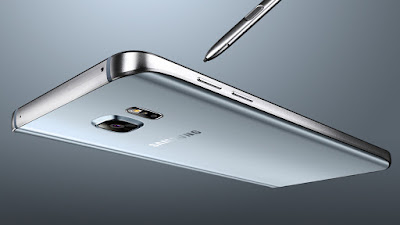
Samsung Galaxy Note Lite will still retain the 5.8? screen but the resolution is said to be 1080p. Also, instead of 8GB RAM, the device will sport “only” 4GB RAM. It is rumored to come with Qualcomm Snapdragon 820.
As reported last month, the real Samsung Galaxy Note 6 might ship with Qualcomm Snapdragon 823 clocked at 3.0GHz and a whopping 8GB RAM is said to be onboard. The device will feature a QHD display on its 5.8-inch screen And there are speculations tthe device will come with iris scanner.
At the moment, Samsung is yet to give an hint and nothing is official yet. These are rumors that cannot be totally believed but still, that doesn’t mean they should be completely discarded. However, nothing is certain until the device is actually released later this year.
Available link for download
Download Stock Firmware Sony Xperia Z Ultra C6388 C6802
Download Stock Firmware Sony Xperia Z Ultra C6388 C6802
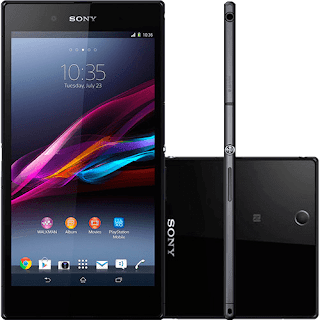
Sony Xperia Z Ultra device model C6802 :
- C6802_ID_1276-0098_14.2.A.0.290_R3B (Link download)
- C6802_ID_1275-9902_14.5.A.0.270_R2D (Link download)
Sony Xperia Z Ultra device model C6833 :
- C6833_ID_1275-9902_14.5.A.0.242_R2D (Link download)
- C6833_ID_1275-9902_14.5.A.0.270_R2D (Link download)
Available link for download
X BO V15 Stock Rom Download
X BO V15 Stock Rom Download
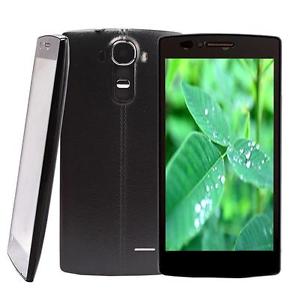
X-BO V15
V15_MT6572_Android4.4
DOWNLOAD
V15_MT6580_Android5.1_V1.0.2
DOWNLOAD
V15_MT6580_Android5.1_V1.0.1
DOWNLOAD
Install ROM:
- Unpack FlashTools, and Click on Flash_tool.exe
- Select "scatter-Loading" and search MT6580_Android_scatter.txt in ROM
- Wait file to be added into Flash Tool
- Select "Download Only" or if upgrade "Firmware upgrade"
- Turn off your phone, remove the battery (if the battery is removable) and replace it after some seconds (and dont turn on the phone).
- Select "scatter-Loading" and search MT6580_Android_scatter.txt in ROM
- Wait file to be added into Flash Tool
- Select "Download Only" or if upgrade "Firmware upgrade"
- Turn off your phone, remove the battery (if the battery is removable) and replace it after some seconds (and dont turn on the phone).
- Press “Download” button to start
- and connect your phone into the computer via USB data cable.
- The process will start and a red progress bar will appear after color purple, yellow.
- And green circles display
- Finish !
- and connect your phone into the computer via USB data cable.
- The process will start and a red progress bar will appear after color purple, yellow.
- And green circles display
- Finish !
- You can now safely disconnect your phone and turn it on.
Available link for download
Android Mobile or Tablet USB Driver Free Download here
Android Mobile or Tablet USB Driver Free Download here
Android Mobile or Tablet USB Driver Free Download here

Samsung:
Download Samsung USB Drivers with Kies here
Sony:
Download Sony Android USB Driver from here
HTC:
Download HTC Android USB Drivers from here
LG:
Download LG Android USB Drivers from here
Motorola:
Download Motorola Android USB Drivers from here
ASUS:
Download ASUS Android USB Drivers here OR ASUS PC Suite here
Nexus:
Download Nexus 7 Android USB Drivers from here
Huawei:
Download HiSuite with Android driver form here
ZTE:
Download ZTE Android USB Drivers from here
Acer:
Download Acer Android USB Drivers from here
ALCATEL ONE TOUCH:
Download Alcatel One Touch Drivers from here
Dell:
Download Dell Android USB Drivers from here
Foxconn:
Download Foxconn Android USB Drivers from here
Fujitso:
Download Fujitso USB Drivers from here
Garmin-Asus:
Download Garmin-Asus Android USB Drivers from here
Hisense:
Download Hisense USB Drivers from here
Intel:
Download Intel Android USB Drivers from here
KT Tech:
Download KT Tech USB Drivers from here
Kyocera:
Download Kyocera USB Drivers from here
Lenovo:
Download Lenevo USB Drivers from here
Pantech:
Download Pantech USB Drivers from here
Pegatron:
Download Pegatron USB Drivers from here
Sharp:
Download Sharp USB Drivers from here
SK Telesys:
Download SK Telesys USB Drivers from here
Teleepoch:
Download Teleepoch USB Drivers from here
Yulong Coolpad:
Download Yulong Coolpad USB Drivers from here
Available link for download
Root Lenovo S850 Via vRoot
Root Lenovo S850 Via vRoot
 |
| Root Lenovo S850 Via vRoot |
There are many people don’t really know the advantage and disadvantage of rooting, but many result about rooting on Google search. It means rooting is something important for android user if they want to mess up their android device.
In this chance, AnyIndo will discuss about How to root Lenovo S850 via iRoot. For those who have Lenove S850 device and want to root via iRoot, let’s read and follow this article carefully to get the best result:
Warning:
Make sure the battery has 60%.
Prepare USB cable to connect your device to PC.
Steps:
- Download Lenovo Driver to your PC, or you can install factory driver from its device.
- Activate USB Debugging, it is go to Settings > Developer Options > checklist USB Debugging.
- Download vRoot application, and then install it on your PC.
- Open vRoot application.
- Synchronize Lenovo S850 to PC via USB cable.
- If it is has been detected it means on vRoot application will detected your device Lenovo S850.
- Press Root button on the bottom with green color.
- Wait until rotting process is completed.
- If it is finish, unplug your device from PC.
- Due to the reason that root manager is chinese, you have to install Supersu application. You can find it on Google Play
- If you already get supersu, install and run the application. If there is a notif to update binary, press Yes. And there will a question to delete root manager, press Yes.
- Done
Note:
Make sure you have internet connection because you need to download all the file bellow:
Files:
Driver Lenovo S850 - Download
vRoot - Download
Available link for download
Tutorial Flash Mito Fantasy A18 Via SP Flashtool
Tutorial Flash Mito Fantasy A18 Via SP Flashtool

- Berikut persiapan sebelum melakukan Flash Mito Fantasy A18 :
- Flashtool Versi 5
- Mtk droid tool and root
- MT65xx usb driver
- MT6577 usb vcom driver
- Stock Rom Firmware Mito Fantasy A18
Tutorial :
- Install Driver
- Extrak Stock Firmware Mito Fantasy A18
- Jalankan Flashtool.exe
- Pada Scatter Loading file, arahkan ke file scatter yang terdapat di stock rom yang tadi di pilih download dan sudah diextrak pake winrar tadi
- Preloader jangan di centang
- Klik download pada SP flash Tool
- Matikan Mito Fantasy A18, lalu hubungkan ke komputer dengan kabel usb
- Tunggu proses loading jalan di Flashtool hingga ada lingkaran hijau tanda Selesai.
Berikut Tutorial Lengkap : Cara Flashing Mediatek Menggunakan FlashTool
Available link for download
Cara Flashing Update Coolpad Note3 Via Flashtool
Cara Flashing Update Coolpad Note3 Via Flashtool
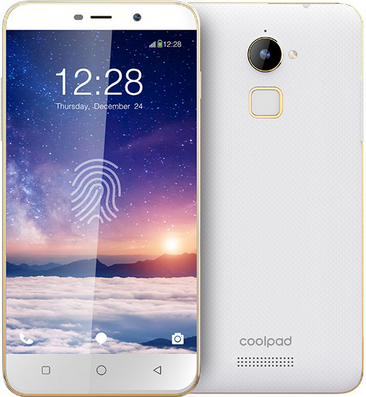
Tutorial / Cara Flashing Update Coolpad Note3 menggunakan SP Flashtool. Permasalahan Bootloop, HardBrick, Mati Total terjadi karena kerusakan software bisa di sebabkan oleh proses rooting yang salah atau penginstallan aplikasi yang membawa wallware dan virus yang mengakibatkan kinerja handphone tergangu, tapi selama masih terdeteksi computer atau driver anda masih bisa memperbaikinya dengan jalan install ulang firmware. atau kalau masih memungkin anda juga bisa melakukan recovery mode atau melakukan reset user data. tapi terkadang kerusakan tidak bisa di selesaikan dengan cara itu anda juga memerlukan update untuk memperbaharui firmware anda.
- Berikut Bahan sebelum melakukan Flashing Coolpad Note3
- Flashtool Versi 5
- Mtk droid tool and root
- MT65xx usb driver
- MT6577 usb vcom driver
- Stock Rom Firmware Coolpad Note3
- Install Driver
- Extrak Stock Rom / Firmware Coolpad Note3
- Jalankan Flashtool.exe
- Pada Scatter Loading file, arahkan ke file scatter yang terdapat di stock rom yang tadi di pilih download dan sudah diextrak pake winrar tadi
- Preloader jangan di centang
- Klik download pada SP flash Tool
- Matikan / turn off Coolpad Note3, lalu hubungkan ke komputer dengan kabel usb
- Tunggu proses loading jalan di di Flashtool hingga ada lingkaran hijau tanda Selesai.
Tutorial Lengkap Bisa di lihat disini : Cara Flash MTK Menggunakan FlashTool
Available link for download
Huawei Kestrel EE G535 L1 Root And Unlock
Huawei Kestrel EE G535 L1 Root And Unlock
I want to share How to root and unlock Huawei Kestrel EE G535-L1.Before you can unlock the Huawei Kestrel EE G535-L1 using SigmaKey Box Software to its SIM provider you must root first the phone using iRoot.
Now,Proceed to unlocking using Sigmakey Box Software

How to Root Huawei Kestrel EE G535-L1 using iRoot
- Download and Install iRoot in your PC
- Open iRoot Software
- Connect Your phone to the USB Cable and wait until detected by iRoot
- After fully detected by iRoot,Click the root button
- Wait now until root process success and your phone will automatically reboot
 |
| Successfully Rooted |
Now,to make sure you have successfully rooted your Huawei Kestrel EE G535-L1,Open applications menu on your Huawei Kestrel EE G535-L1 and find SuperUser App.If this app exist on your phone then it means you have successfully rooted your device.Congratulations.
 |
| SuperUser |
Now,Proceed to unlocking using Sigmakey Box Software
How To Direct Unlock Huawei Kestrel EE G535-L1
- Open SigmaKey Box
- Select ADB in Platform
- Select Composite ADB Interface in Serial Port
- Press Direct Unlock
- Wait Until Finish
Dont Forget to Like Us on Facebook,Follow us on Google+
Available link for download
The Easiest Methods to Root SAMSUNG Galaxy S5 Without PC
The Easiest Methods to Root SAMSUNG Galaxy S5 Without PC
 |
| The Easiest Methods to Root SAMSUNG Galaxy S5 (Without PC) |
Hello guys, today we are going to guide you in this article it is about how to root SAMSUNG Galaxy S5 with 2 methods and according to our experience these methods are easy enough if you read and follow our instruction carefully. If most of tutorial on Google require PC access, in this article we do not use any PC to root your device.
How to root samsung galaxy S5 is easy way and without PC / Laptop, it is by using Towelroot application and if you think rooting via PC is the best way there are also way root using a PC / Laptop using tools CF Auto Root. Heres how to root Galaxy S5:
How to root SAMSUNG Galaxy S5 via Towelroot
- Before install any application we provide you have to enable (activate) "Unknown sources" first, it is Settings > Security > Device administrators
- Download and install Towelroot
- Run Towelroot application on your Galaxy S5
- Wait until the process is completed
- Install and update SuperSU
- Install Root checker to check whether your device has been rooted or not
- Done, congrats ! your Galaxy S5 has been rooted successfully via Towelroot
Isnt it easy enough, right? but if youre still getting confused you are free to ask us about this article. Just leave comment below and when one of our team is online they will answer and reply yoour question. Thanks
Towelroot
SuperSU
Root checker
Available link for download
HOW TO REMOVE PASSWORD LOCK ON NOKIA MTK With Nokia 220 rm 1035
HOW TO REMOVE PASSWORD LOCK ON NOKIA MTK With Nokia 220 rm 1035
This Vedio will show you how to remove password lock on Nokia MTK
Supported Model
RM 1035
RM 969
RM 1011
RM 1133
RM 1136 e.t.c
Requirement :
Miracle box download the cracked version from here
Nokia MTK driver download from here
Phone to unlock., Nokia 220 Rm 1035 etc
Pc
usb cabble
Steps:
open miracle box
under MTK tab
tick Format
a pop will prompt you to backup.. select NO
remove the phone battery an insert it back
plug in usb cable
wait still process Completed
Done !
Done !
Remove the battery an Power on
video guide below
Available link for download
iPhone iTools 3 in English version from the Vietnam free download here
iPhone iTools 3 in English version from the Vietnam free download here
iPhone iTools 3 in English version from the Vietnam free download here
Screen Shot:
 |
Download from HERE
Available link for download
Flashing Lenovo A369i Works 100
Flashing Lenovo A369i Works 100
AnyIndo - Lenovo A369i is an android made by Lenovo brand and this device intended for beginner class. From its specification and price actually this device is in same level with Lenovo A369 which comes first in the market.
 |
| Flashing Lenovo A369i Works 100% |
But if we compare with the Lenovo A390, Lenovo a369i has little decrease in the sector to camera its is 5MP camera to be 2 MP only. However A369i also has the advantage of a faster CPU sector and this android runs on jellybean already
More users of Lenovo a369i means there are more users want to mess up this device. When they fail to mess up the device, they got the chance for their devices to be bootloop, stucked, and hard brick. And the solution must be recycled or we have to flash the device. In this article we are going to help you how to flash Lenovo A369i.
Warning:
- Before you flash your device, it would be nice if you read the advice bellow from us:
- When you decide to flashing your Lenovo A369i and it is has different ROW, as example your first devices ROW is 108, and you want to flash it to 110, 111. 201 or lite s005, that would be better if you do not press download button, but press Firmware > Update. We hope you understand about this advice.
- Before you flash your device, do not forget to back up your data and file and your IMEI to make it safe.
Steps:
- Download, install and extract all tools.
- Plug your deice via USB cable to PC or Laptop.
- Install driver.
- After the installation of driver completed and detected, unplug your device.
- Open SP Flashtools.
- Click Scatter-loading button.
- Select Target bin file in the extracted folder stock ROM or firmware youve downloaded and then press OK or double click.
- In the folder target_bin there is MT6577 Android scatter emmc.txt file, select and then click OK.
- Checklist all column on SP Flash Tools and then click Download. Usually it has violet purple color and will stop if it is null, after null, plug again your deice to PC (while your device is still in OFF mode) usually you may unplug the battery of your device. If there is no reaction, you may plug the battery.
- Wait until the process is completed.
- If there is a pop-up with green circle color (OK) means flashing process is completed.
ROW Files:
- ROW 108 - Download
- ROW 110 - Download
- ROW 111 - Download
- ROW 201 - Download
- ROW Lite S005 - Download
Files:
Firmware Lenovo (Find this on Google)
SP Flash Tool - Download
USB Driver - Download
Available link for download
Why Buy Miracle Box Eagle Eye Best Flashing Box for China Mobile
Why Buy Miracle Box Eagle Eye Best Flashing Box for China Mobile
Why Buy Miracle Box & Eagle Eye ? Number 1 Box for China Mobile with Unlimited Features.

Supported CPU:
MTK. SPD. RDA/COOLSAND MSTAR Qualcomm CDMA MOBILES BlackBerry
Miracle Box + Miracle Key Dongle Description:
Miracle Box is all-in-one servicing solution specially designed to work with a wide range of Chinese mobile phones. Miracle Box allows its owner to perform phone flashing and mobile unlocking procedures as well as other software repair operations with devices based on supported CPUs. From now on all new updates for Miracle Box would be installed via Miracle Key Dongle.Miracle Always First
- Miracle is The First Fuzzy Logic Based.
- Miracle is The First Multilingual Software.
- Miracle is The First Auto Updatable.
- Miracle is The First USB & COM Supportable.
- Miracle is The First Unlimited Theme Based.
Features
- Repair IMEI without Flashing.
- Worlds First & Biggest Flash File Library.
- Support for Latest MTK CPU.
- Support for Latest SPD CPU.
- Support for Latest RDA/COOLSAND CPU.
- Support for Latest MSTAR CPU.
- Auto IMEI Repair with Fuzzy Logic.
- Worlds Best Auto Pin Finder Feature.
- Read/Backup SPD/MTK Mobile Phone Book
- Network Unlock MTK 65xx CPU BASED MOBILES.
- Auto Updatable.
- Format with Advanced Options
- Biggest Support Team.
- Worlds First Multilingual Software Interface.
- First USB & PINFINDER Connectiviety.
- Support CDMA Mobiles*.
- Support Blackberry Mobiles*
- Support Samsung Mobiles*.
- Best Android Mobile Repair Features.
- Auto Connect Android Mobile Info Bar.
- Worlds First Software Power Supply Inbuilt.
- Worlds First Software Oscilloscope Inbuild.
- Worlds First Software Power Supply Inbuilt.
- Worlds First Auto checker Cheksum Chinese Mobile.
iF you like using this box, buy this box for easy update and support the developers
Download Miracle box from here
Download Miracle driver from here
Download Miracle box crack version from here
which chiness box do you prefered Using, for flashing chiness ? ..let me know in the comment box below.
ReadMore
Available link for download
Xtouch X3 Mini Firmware MTK 6572 Andriod 4 2 2 Orginal Updat 100 Tested Factory Flash File
Xtouch X3 Mini Firmware MTK 6572 Andriod 4 2 2 Orginal Updat 100 Tested Factory Flash File



Available link for download
lenovo A808 MTK6572 official firmware
lenovo A808 MTK6572 official firmware
lenovo A808-MTK6572_official-firmware
without password


lenovo A808-MTK6572_official-firmware
info
model=A808
MTK 6572
Android version=4.4.3
MTK platform=MT6592
Custom build version=1418092731
CUSTOM_KERNEL_LCM = nt35582_mcu_6575
LCM_HEIGHT = 960
LCM_WIDTH = 540
CUSTOM_KERNEL_TOUCHPANEL = generic
CUSTOM_HAL_MAIN_IMGSENSOR = imx073_mipi_raw
CUSTOM_HAL_SUB_IMGSENSOR = hi704_yuv
CUSTOM_MODEM = yuanda72_wet_a_jb3_hspa_A11_A13_850_2100
Downloads
Available link for download
Friday, September 9, 2016
SYMPHONY V49 FLASH FILE V49 XXX V6 20160122 5 1 LOLLIPOP OFFICIAL PAC FILE 100 TESTED BY WIFIZONEFORYOU
SYMPHONY V49 FLASH FILE V49 XXX V6 20160122 5 1 LOLLIPOP OFFICIAL PAC FILE 100 TESTED BY WIFIZONEFORYOU

Hang Logo Problem Solution
Passwod Phone Lock Problem Solution
Andriod_Lolipop 5.1
OFFICIAL PAC FILE
V49_XXX_V6_20160122

WIFIZONEFORYOU@YAHOO>COM


Available link for download
Download Alcatel One Touch 6030A Idol Stock Rom
Download Alcatel One Touch 6030A Idol Stock Rom

Below
Alcatel One Touch 6030A Idol
Download now
- Download and extract the stock firmware on your computer.
- After extracting you will find the SP Flash Tool, Driver and instruction manual.
- Install the USB Drivers (skip if drivers are already installed).
- Open the SP Flash Tool and load the Scatter File from the firmware folder.
- Connect your Smartphone to the computer using the USB Driver.
- Click on Upgrade / Download Button in the SP Flash Tool to Begin the Flashing.
- Green Ring will appear at the end of successful Flash.
Available link for download
Ouikutel K10000 With 10000mah Battery Capacity
Ouikutel K10000 With 10000mah Battery Capacity
 The Oukitel K10000 is powered by 1GHz quad-core MediaTek MT6735 processor and it comes with 2GB of RAM.
The phone packs 16GB of internal storage that can be expanded up to 32GB via a microSD card. As far as the cameras are concerned, the Oukitel K10000 packs a 8-megapixel primary camera on the rear and a 2-megapixel front shooter for selfies
The spec may not be too impressive but the battery will definitely rip your trousers apart. 10,000MAh battery is what it comes with.
It can last you 10-15days of normal use, it is currently the world largest smartphone battery capacity. Its support fast charge, gesture motion, and YES it is a 4G Phablet. Those of you already using it can testify to this.


See the main spec below
Main Features:
Display: 5.5 inch 720x1280 IPS HD Screen
CPU: MTK6735 64bit Quad Core 1.0GHz
GPU: Mali-T720
System: Android 5.1
RAM + ROM: 2GB RAM + 16GB ROM
Camera: Back camera 8.0MP (SW13.0MP) + front 2.0MP (SW5.0MP)
Bluetooth: 4.0
GPS: GPS / A-GPS
SIM Card: Dual SIM dual standby, One is Micro SIM card slot alone, another Micro card slot can also be used as a TF card slot.
Note: 2 Micro SIM cards and TF card cannot be used together
Network:
2G: GSM 850/900/1800/1900MHz
3G: WCDMA 1900/2100MHz
4G: FDD-LTE 800/1800/2100/2600MHz
Price: $159.99
Available link for download
T730 Mainboard V6 3 Firmware Download Link
T730 Mainboard V6 3 Firmware Download Link
 |
| T730-Mainboard-V6.3 |
Download:
T730-Mainboard-V6.3 Firmware
Phoenix Suit
Use firmware above to flash your T730-Mainboard-V6.3 using Phoenix Suit.
Follow This Tutorial>How To Use Phoenix Suit Flashing Tool [TUTORIAL]

Available link for download
Subscribe to:
Posts (Atom)